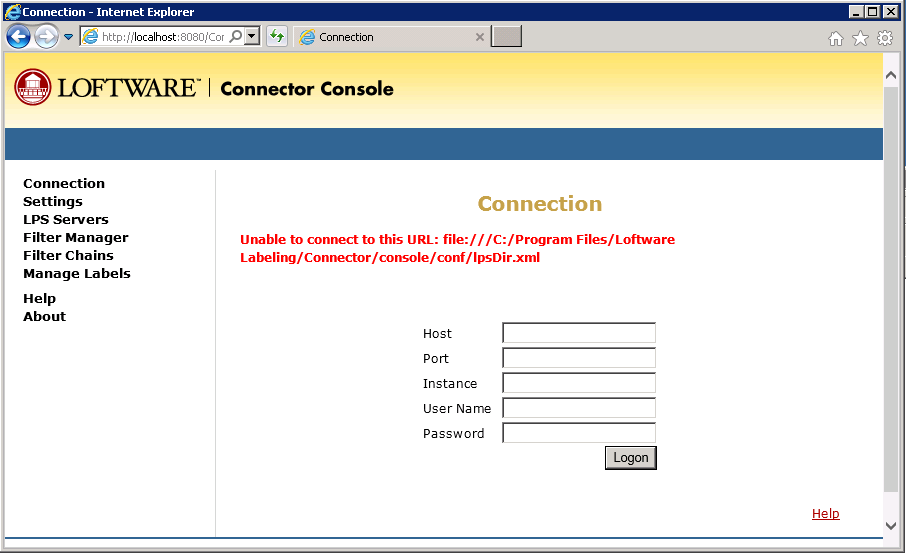
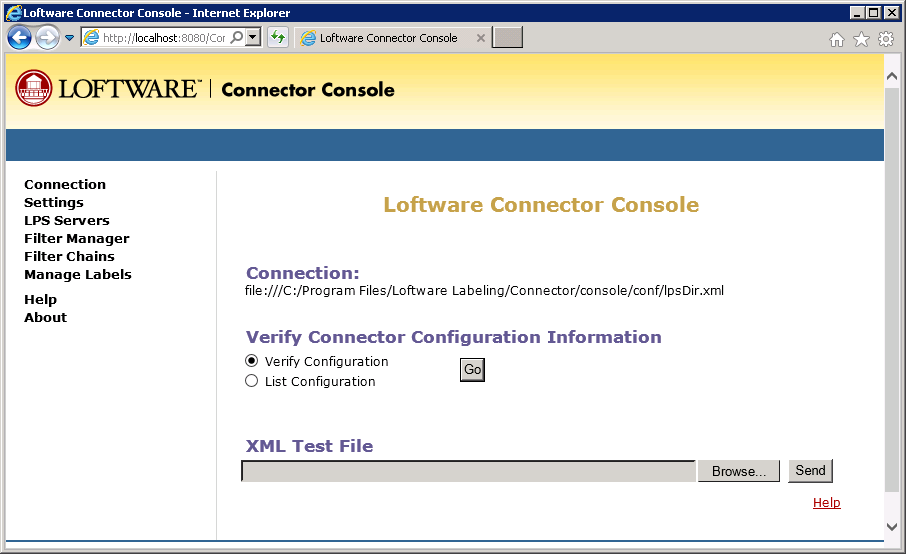
Unable to connect to this URL: file:///C:/Program Files/Loftware Labeling/Connector/console/conf/lpsDir.xml
Problem
When logging into the Loftware Universal Connector See Loftware Connector. Console, the following error is encountered;
Unable to connect to this URL: file:///C:/Program Files/Loftware Labeling/Connector/console/conf/lpsDir.xml
Explanation
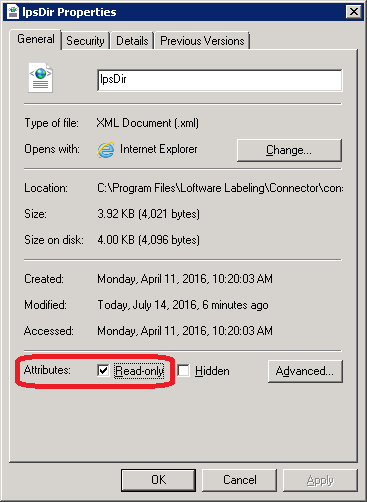
The LPSDIR.XML file being used as the Loftware Universal Connactor Console's control file is set to "Read Only"
Solution
The Loftware Universal Connector Console requires full read/write access to the LPSDIR.XML control file. Removing the "Read Only" attribute will resolve the issue.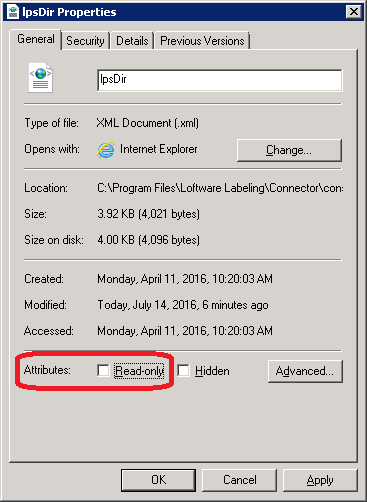
Article Number
2017070
Versions
All supported LPS family product versions.
Environment
No specific environment considerations
