Error M1156 An error occured drawing symbol
Message
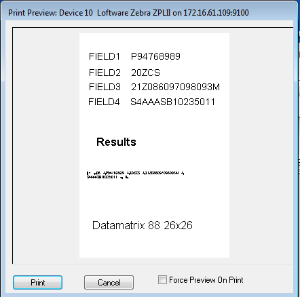
Datamatrix barcode is not printing on the label.
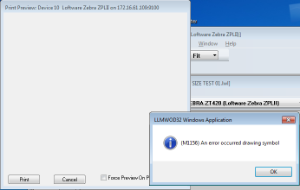
(M1156) An error occured drawing symbol.
Explanation
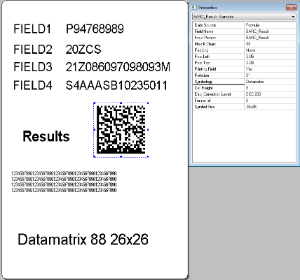
When trying to generate a Datamatrix barcode that will fit in a small area on the label the Datamatrix barcode stops printing on the label. During label development Symbol A machine readable pattern typically composed of quiet zones, start/stop or finder pattern(s), and symbol characters (which include special function and error detection and/or correction characters) required by a particular symbology. Size Auto was used first. This caused Datamatrix barcode to print too large. The fixed Datamatrix symbol sizes were tried to better size the Datamatrix barcode. The (M1156) An Error occured drawing the symbol popup is displayed. At this point the Datamatrix barcode stopped printing on the label.
Solution
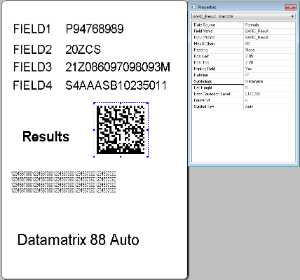
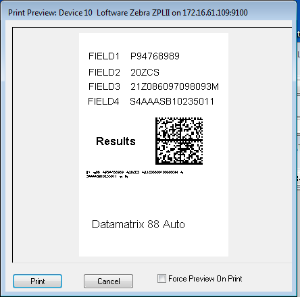
Solution 1) Change the Symbol size back to Auto and reduce the cell size of the Datamatrix barcode to suit your size requirements.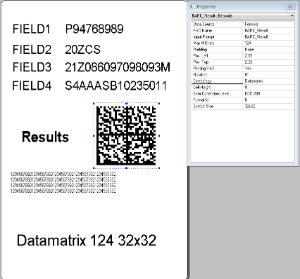
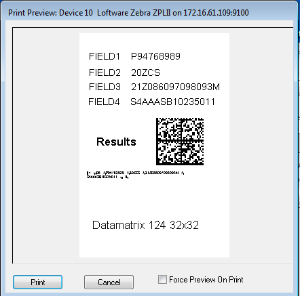
Solution 2) Change the Symbol size large enough to handle the data and reduce the cell size of the Datamatrix barcode to suit your size requirements.
The following are sample labels used to reflect the customer's issue.
DATAMATRIX SIZE TEST.lwl DATAMATRIX SIZE TEST 01.lwl DATAMATRIX SIZE TEST 02.lwl
Article Number
2016044
