Web Designer
All Loftware Cloud products feature a new approach to the label design process. The Web Designer is a true native web application that runs in any modern browser independent of the operating system and your device type. You can use Web Designer to design and modify your label templates from Control Center. All you need is a browser. There is no local installation of a Desktop Designer.
By design, the Web Designer provides a familiar look and feel of the existing Desktop Designer. Existing users will find the web user interface and design principles like the current software, thus lowering the learning curve. New users will also intuitively find their way around the application. The available label objects and data sources are displayed in the panel on the left side of the design window, and the label/object properties on the right. There are no modal dialog boxes. The complete design flow is available through the panel-based UI.
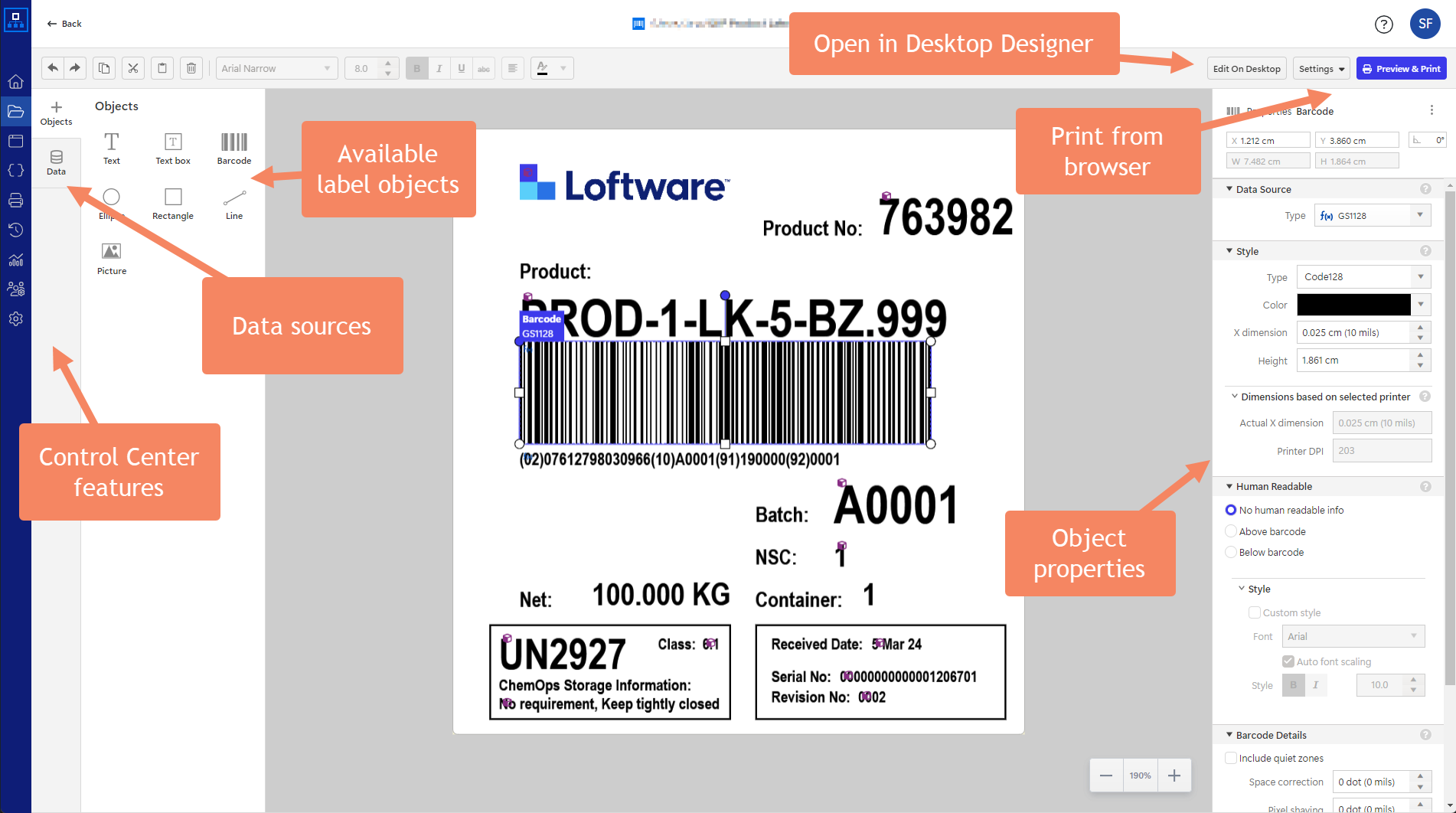
You can edit the label template using the browser-based Web Designer and the on-premise Desktop Designer. Think about the analogy in Microsoft Office apps, where you can edit documents online in a browser and the Windows application installed on your PC. More complex and feature-rich label templates will demand using the Desktop Designer.
Note
The Web Designer does not support the complete features set of the Desktop Designer, but the gap will diminish with each new release of Loftware Cloud.
The Cloud Print Form will print your templates to any cloud-connected or traditional on-premise printers. Each label template is associated with a selected printer from your infrastructure and, by default, prints to that printer. However, you can select any other printer before printing a label.
 more
more