Overlapping labels
Problem
When you use the same printers with LPS and Loftware Cloud at the same time, printing issues might occur:
-
Graphics overlap.
-
Labels overlap.
-
Print queue errors occur.
Solution
-
Use only one printing application at the same time (LPS or Loftware Cloud.
-
Use custom commands in your printer driver to clear the image buffer from the printer's memory:
-
In Printers & scanners select your printer and click Manage.
- Click Printing preferences. The Printer settings window opens.
- Select the Custom Commands tab and enter the command to clear the image buffer in the Before print job section. Set the Type to Parsed text.
Example: Custom commands for the ZPL printer language: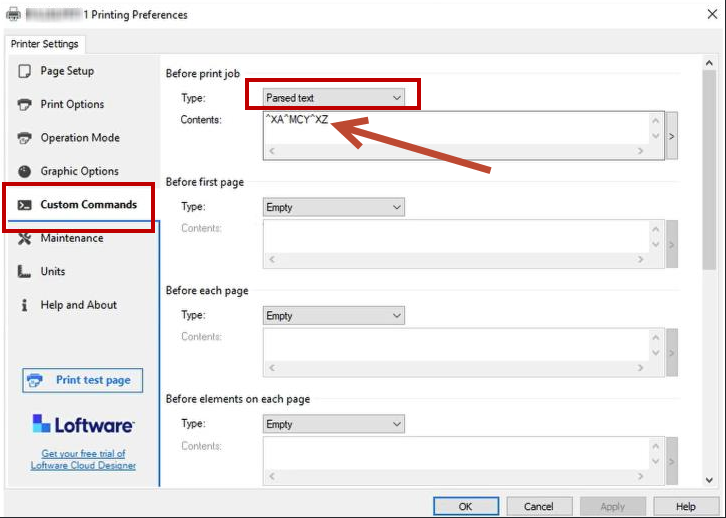
Note: Check your printer manual to find custom commands for your specific printer. -
 more
more