Triggers
Automation Manager in Control Center provides you centralized access to all configurations and triggers running on Automation Servers on your local computers or in Loftware Cloud. Automation Manager in Control Center connects to Automation Manager on your local computersor in Loftware Cloud, so you can make changes instantly from your Control Center.
The
In Control Center, go to
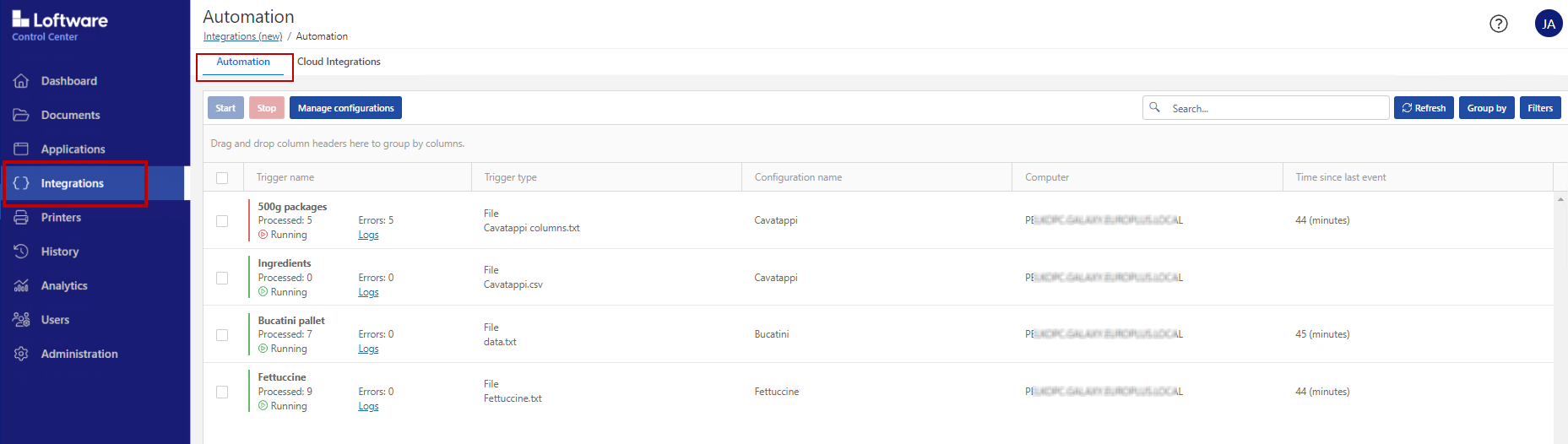
You can:
Access all your triggers and configurations.
See which triggers are located on which computers and view Automation logs.
See time elapsed since the last trigger event.
See triggers with errors.
Check trigger statuses:
Running
Stopped
Server Offline
See configuration names and types.
Manage all your triggers and configurations:
Start and stop your triggers.
Refresh your trigger list in Control Center.
Reload your triggers.
Remove your triggers.
Copy configurations from
Documents in Control Center to Automation Managers on local computers in your network.Sort your trigger list.
Search your triggers.
Group your trigger lists by configuration names.
Group your trigger lists list by server names.
Note
If possible, upload and run your Automation configurations from
Click the link in the
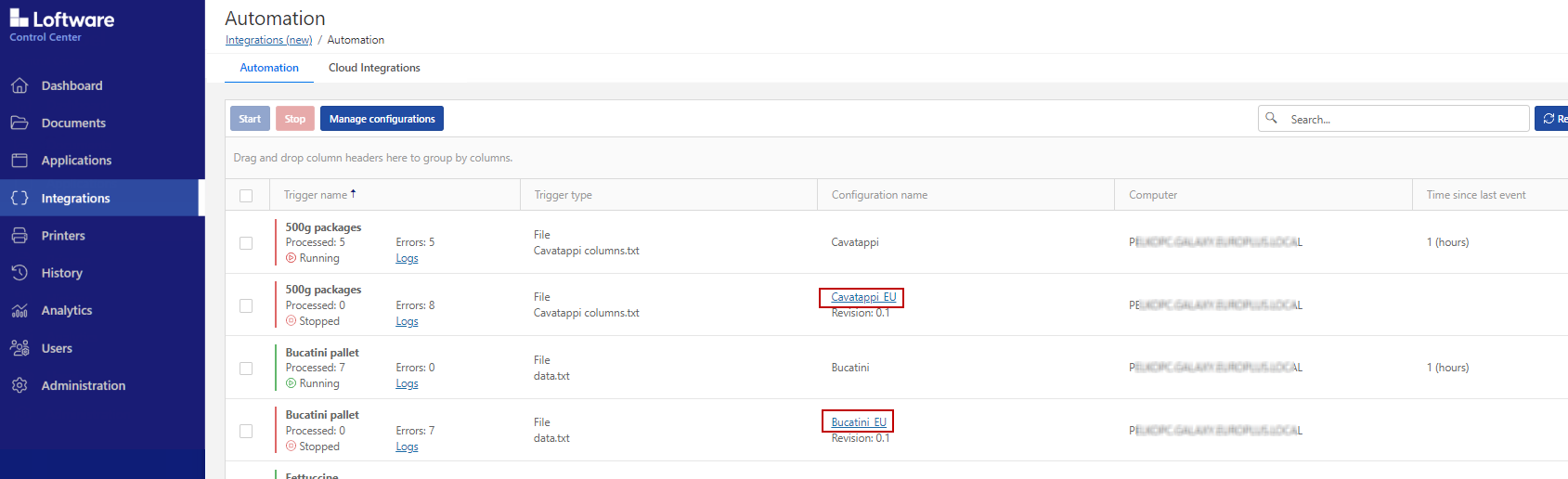
In
Centralized management of all your Automation triggers saves you time, avoids system downtime, and minimizes security risks.
 more
more